O'Scrap Blog Train

Member of O'Scrap Blog Train
Stores I Sell At
 >
>Registered and Protected

Featured Post
Bunny Love
PTU Tutorial Supplies needed: Paint Shop Pro X or any version Spring_and_Easter by Alehandra Vanhek here (you must be licensed to use...

Popular Posts
-
FTU Tutorial The Book of Elias Supplies needed : Tube: I used Melissa 2 by Elias Chatzoudis here you need a license to use this art, Fr...
-
 No scrap tutorial Majestic Mermaid Items needed: PSP9 or any version DBV Mask 110 here Scenic photo of choice,I used Jon Rattenbury, you m...
 -
 No Scrap Tutorial Curled and Whirled Supplies Needed: Tube of choice, I used Amberly Berendson, you can purchase at DAH Font of choice, I u...
 -
 FTU Tutorial Ice Cream, Cupcakes and Chocolate Supplies needed: Neopolitan Scrap kit by TKDezigns here Tube of choice, I used Fiodorova Ma...
 -
FTU Tutorial With A Tender Heart Disclaimer: This tutorial was written by Pamela A. Mabry on January 11, 2022 with PSP 10, but any other ve...
-
 FTU Animated Tutorial Turbulent Sea Tag Disclaimer: This tutorial was originally written August 12, 2012 and revised on January 14, 2022 fr...
 -
 PTU Tutorial Yellow's Glow! Supplies needed: Paint Shop Pro 2023 or any version Tube: Summer by Kiya's Designs here Mask: DBV...
 -
 No scrap tutorial Capsulated Tag This tutorial is written for those with a working knowledge of PSP. Disclaimer update: August 17, 2024, t...
 -
 FTU Tutorial BCA In Pink Supplies needed: Paint Shop Pro 2021 or any version Tube: I Believe by Zindy S. D. Nielsen here Becky Mask...
 -
 No scrap tutorial Fairy Glass Banner Supplies needed: Tube of choice I used Judy Mastrangelo this is a licensed tag and can be purchased F...



Pammer's Passions
About Me

- P Mabry
- I've been working with PSP since 2004 and I love creating tags, stationery, cluster frames, scrap kits and templates.I also enjoy my children, grandchildren, reading, music and movies.
Blogs I Luv !

Addictive Pleasures

Artistic Tag Passions

Millie's PSP Madness

My Tagging Addiction

Escape From Reality

Miggins Tuts

Designz by Shelly

Melissaz Creationz

Roses Tag Templates

Supplies needed:
Paint Shop Pro
2021 or any version
Hello Autumn by
Fiodorova_Maria, you must have a license for this tube Here
Becky mask 22 Here
One Morning In Autumn by Bella Caribena Here
Font of choice
Eye Candy 4000 –
Gradient Glow
Disclaimer: This tutorial is written by Pamela Mabry on
October 15, 2021 and is solely from my own imagination, any similarity to any
other/s is pure coincidence. This tutorial is written for those with a working
knowledge of Paint Shop Pro.
Remember: to apply your drop shadow as you proceed.
I used H and V – 2, O -30, B - 15
Let’s begin
Open
paper 2, shift +d, close original, promote background layer
New
layer, send to bottom, fill with ff3300
Apply
the mask, merge group and pick it to fit the layer
Go
to paper layer and apply mask, merge group
Paste
BC-mask 3
Paste
tree 54, with the pick tool stretch to fit the masked paper layer
Apply
mask to the tree layer, merge group
Duplicate
tree, merge down
Apply
leaves 5, move to bottom, duplicate and move to top
Element
8, resize 40%
Element
30, resize 30%, duplicate, mirror, duplicate and move to other side
Paste
element 23 and move to bottom
Element
70, resize 30%
El
27. Resize 60%
El
44, resize 40%
El
103, resize 40%
El
56, resize 40%
El
75, resize 30%
El
82, resize 60%
El
28, resize 40%
Open
and paste word art 3, resize 30%, apply a gradient glow
Paste
el 112, resize 30
EL
52, resize 30%, duplicate, mirror, duplicate, resize 80% and place as shown
Paste
your tube
Add
artists name and copyright and site
Add
your name.
You’re
done!
Thanks
for viewing my tutorial!

Supplies needed:
Paint Shop Pro 2021 or any version
Tube: Arethusa ninfa by Souldesigner Here
A license is required to use this tube, please follow the link above to obtain
Becky Mask_022 Here
Mystic Land Kit by Artistic Studio here
DD_A Little Bit Of Heaven Template Here
Xero Mistifier Here
Font of choice, I used Signature of the Ancient Here
Disclaimer: This tutorial is written by Pamela Mabry on September 11, 2021 and is solely from my own imagination, any similarity to any other/s is pure coincidence. This tutorial is written for those with a working knowledge of Paint Shop Pro.
Remember to apply your drop shadow as you proceed.
I used v -2, h 3, opacity 40, blur 10
Let’s begin
Open template, shift + D, close original
Image, canvas size and change to 800 x 800, center image
Note: the above step is optional, it just gives you more workspace
Delete info layer, all small circle layers
Delete all dotted circles, top strip layer
Delete bottom strip and blue oval layer
Highlight bottom layer
New layer, select all
Paste paper 13 into selection, select none
Apply mask, merge group
Highlight the right blue square
Select all, float, defloat
Paste paper 15 into selection, deselect
Apply drop shadow
Highlight your grey circle
Select all, float, defloat
Apply paper 12
Drop shadow
Highlight left frame bg, fill with paper 13
Repeat above step for the right frame bg and center frame bg
Apply the preceding step to the left, right and center frame layers and paste paper 7 into each
Apply an inner bevel as you proceed
Go back to your left frame bg and paste your tube, place as you like, invert, delete, deselect
Right click on top image bar, copy
Go to the right frame bg and highlight
Right click on image bar and paste as new layer
Move tube over the frame, rotate left 40 degrees and move onto frame
Select the center frame bg and paste tube as new layer and place as you like
Invert selection, delete, deselect
Go to each tube layer and change blend mode to overlay and apply Xero – Mistifier
Settings h 128, s 128, red, green and blue mist 255
Make sure you apply the drop shadow to all the tube and frame bg layers
Paste element 9, resize 70%
Use your pick tool and place as shown
Paste element 6 and move to bottom, duplicate and move back for greater coverage
Paste element 7 and move to bottom of template
Apply drop shadow, duplicate
Paste element 8, drop shadow, duplicate
Element 10, resize 40%, drop shadow, duplicate, mirror horizontal
Paste element 11, resize 30% then 70%, move to bottom right, duplicate, mirror
Paste element 15, resize 60%, place to bottom right
Element 3, resize 40%, place bottom right
Paste element 127, resize 30%, place to bottom right, duplicate, mirror
Paste element 125, resize 30% then 60%, duplicate, mirror, duplicate, move to center left
Paste element 2, resize 20%, place top left
Paste element 22, resize 20%, place top right
Paste 116, resize 20%, move to bottom right, duplicate, mirror
Paste 119, resize 40%, place under the right frame bg on the top, duplicate, mirror
Duplicate again and move the right, duplicate a more times moving to form a chain effect
Paste 38, resize 20%
Paste element 24, resize 70%
Paste element 46, resize 80%
Paste 34, resize 40%, place slightly top center, duplicate and place where you desire
Paste element 43, resize 60% and place as shown
Paste 146
Copy and paste your tube, resize 60%, place to bottom left center
Add artist name and copyright and license number
Delete white background layer
Merge tag visible, resize if needed, sharpen.
You’re done !
Thanks for viewing my tutorial.
PTU Tutorial


PTU Tutorial

MMD Lifetime CU4CU Licence

MMD Lifetime CU4CU Licence
MMD Unlimited CU Licence

MMD Unlimited CU Licence
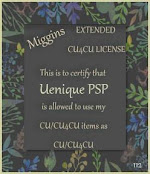
Miggin's Extended CU4CU License
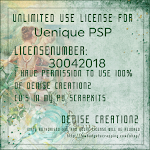
Denise Creationz Unlimited Use License
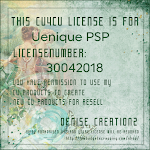
Denise Creationz CU4CU License
KPD Unlimited Use CU4CU License

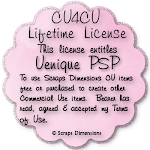
Scraps Dimensions CU4CU Lifetime License
LMB CU4CU License
JDD Unlimited Personal Use License
JDD CU4CU License
Freek's Creations CU4CU License

Freek's Creations Unlimited Use License

Angelaz Creationz CU4CU License

Bubble's Dreams CU Lifetime License
